 _an interactive explorer for single-cell transcriptomics data_
Whether you need to visualize one thousand cells or one million, cellxgene helps you gain insight into your single-cell data.
## features
#### flexible selections, coloring, and differential expression of your selected sets of cells
_an interactive explorer for single-cell transcriptomics data_
Whether you need to visualize one thousand cells or one million, cellxgene helps you gain insight into your single-cell data.
## features
#### flexible selections, coloring, and differential expression of your selected sets of cells
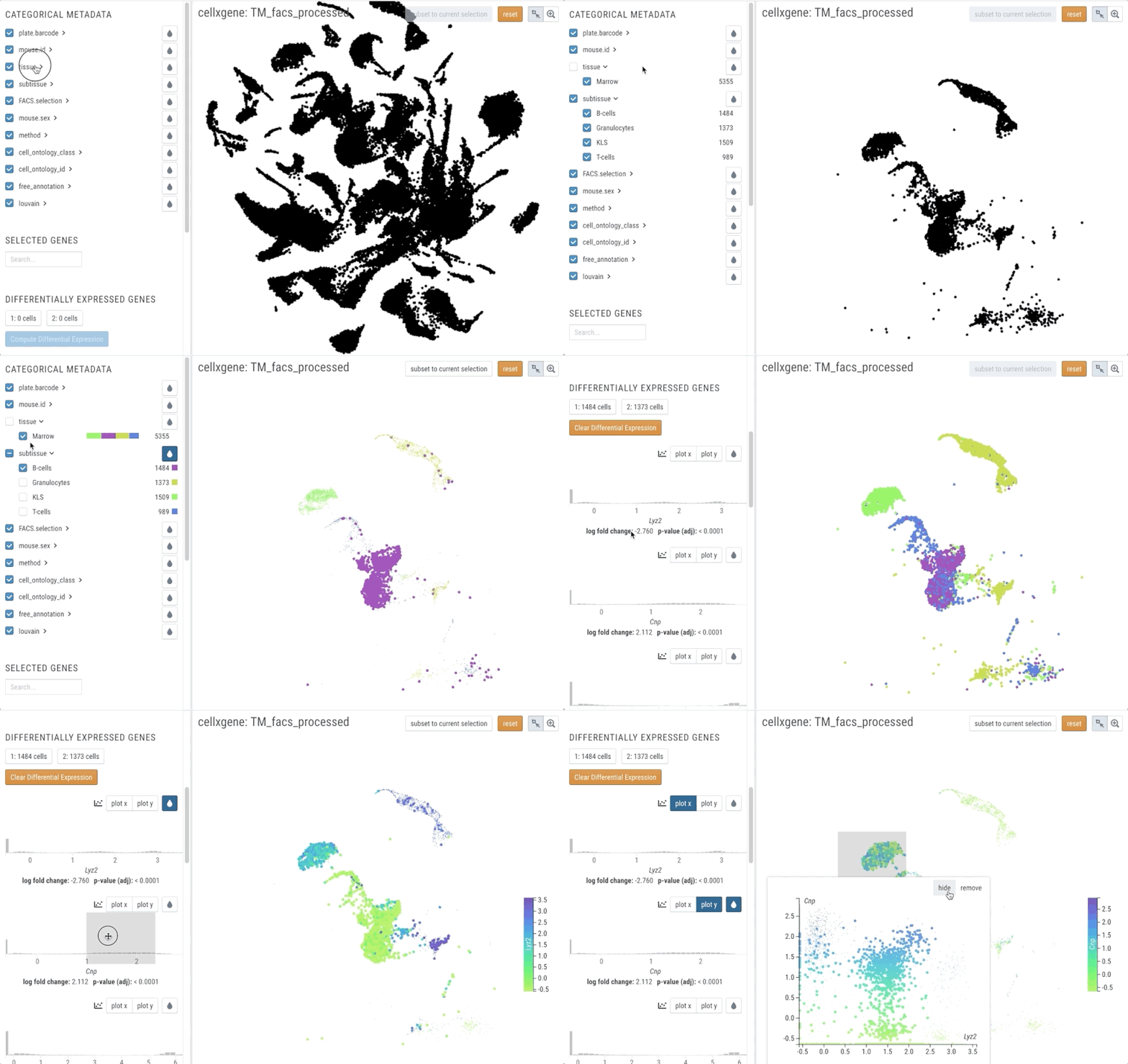 #### single-gene analyses (e.g. expression analysis)
 ## quick start
To install cellxgene you need Python 3.6+. We recommend [installing cellxgene into a conda or virtual environment.](/faq.html#how-do-i-create-a-python-environment-for-cellxgene)
Install the package.
``` bash
pip install cellxgene
```
Download an example [anndata](https://anndata.readthedocs.io/en/latest/) file
``` bash
curl -o pbmc3k.h5ad https://raw.githubusercontent.com/chanzuckerberg/cellxgene/master/example-dataset/pbmc3k.h5ad
```
Launch cellxgene
``` bash
cellxgene launch pbmc3k.h5ad --open
```
To explore more datasets already formatted for cellxgene, see [Data](data) or
visit [Getting Started](getting-started) to learn more about formatting your own
data for cellxgene.
## getting help
We'd love to hear from you!
For questions, suggestions, or accolades, [join the `#cellxgene-users` channel on the CZI Science Slack](https://join-cellxgene-users.herokuapp.com/) and say "hi!".
For any errors, [report bugs on Github](https://github.com/chanzuckerberg/cellxgene/issues).
## quick start
To install cellxgene you need Python 3.6+. We recommend [installing cellxgene into a conda or virtual environment.](/faq.html#how-do-i-create-a-python-environment-for-cellxgene)
Install the package.
``` bash
pip install cellxgene
```
Download an example [anndata](https://anndata.readthedocs.io/en/latest/) file
``` bash
curl -o pbmc3k.h5ad https://raw.githubusercontent.com/chanzuckerberg/cellxgene/master/example-dataset/pbmc3k.h5ad
```
Launch cellxgene
``` bash
cellxgene launch pbmc3k.h5ad --open
```
To explore more datasets already formatted for cellxgene, see [Data](data) or
visit [Getting Started](getting-started) to learn more about formatting your own
data for cellxgene.
## getting help
We'd love to hear from you!
For questions, suggestions, or accolades, [join the `#cellxgene-users` channel on the CZI Science Slack](https://join-cellxgene-users.herokuapp.com/) and say "hi!".
For any errors, [report bugs on Github](https://github.com/chanzuckerberg/cellxgene/issues).