 f55c726e2a
* Create gene_sets.md

* Add files via upload

* Update gene_sets.md

user guide updates

* Update gene_sets.md

Updates to multi-user

* Update gene_sets_example.csv

* Update gene_sets.md
5.6 KiB
Gene Sets Overview
A gene set is a user-created, ordered list of gene identifiers. Typical uses for a gene set include marker genes for a cell type, state, or pathway.
A gene set must have a unique name. A given gene may be included in multiple gene sets. A gene set may optionally include a description for the entire gene set, and descriptions for each gene included the gene set.
Users may view gene sets along with their dataset and access gene sets created in pip installed cellxgene by following the instructions below.
cellxgene CLI Command
Users MAY use --gene-sets-file name_of_file.csv to designate a CSV with preexisting gene sets you would like to view in cellxgene. The CSV MUST follow the format below.
Users MAY use --user-generated-data-dir file_name to designate a file where both gene sets and annotations CSVs will be saved. File names for gene sets and annotations will contain a pseudo-session ID by default. --user-generated-data-dir is incompatible with --gene-sets-file and --annotations-file and will error if used together. See --help for more details.
cellxgene Gene Set CSV Data Format
The cellxgene gene set data format is a Tidy CSV (comma-separated values) file using ASCII encoding. Multiple gene sets MAY be included in the file.
The first row MUST contain column headers in the following order:
gene_set_namegene_set_descriptiongene_symbolgene_description
Each row represents a gene in a gene set and must be unique.
Example:
| gene_set_name | gene_set_description | gene_symbol | gene_description |
|---|---|---|---|
| club.cell | description | CCKAR | description |
| club.cell | SCGB3A2 | description | |
| club.cell | CYP2F2 | description | |
| macrophage | description | CD68 | description |
| macrophage | CD163 | description |
Users MAY include additional columns. Once gene sets are editted from cellxgene, the additional columns will no longer be stored in the file designated using the command --gene-sets-file.
gene_set_name
The gene_set_name column MUST contain a value and MUST NOT contain the following ASCII characters or sequences:
- control characters (decimal 0-31)
- DEL (decimal 127)
- leading spaces (decimal 32) in a field - " This is an example"
- trailing spaces (decimal 32) in a field - "This is an example "
- multiple spaces (decimal 32) "internal" to a field - "This is an example"
Note: If gene_symbol(s) for a gene_set_name exist on noncontiguous rows, they will be added to the existing gene set. For example, CD163 below is added to the club.cell gene set:
| gene_set_name | gene_set_description | gene_symbol | gene_description |
|---|---|---|---|
| club.cell | description | CCKAR | description |
| club.cell | SCGB3A2 | description | |
| club.cell | CYP2F2 | description | |
| macrophage | description | CD68 | description |
| club.cell | description |
gene_set_description
Populating gene_set_description is optional. The first instance where gene_set_description is populated for a specific gene_set_name will be surfaced when a user hovers over gene_set_name in cellxgene. All other instances are ignored in subsequent rows for the same gene_set_name.
gene_symbol
A given gene_symbol may only be added once to a gene set and exist as a VAR in the underlying anndata file.
gene_description
Populating gene_description is optional and will be surfaced when a user hovers on gene_symbol in cellxgene.
Visualizing, Creating and Editing Gene Sets Using cellxgene UI
Visualization capabilities
Users will be able to color by the mean expression of a gene set by selecting the drop icon next to the gene set name. Users will also be able to select cells by dragging across a selection in the historgram of the mean expression.
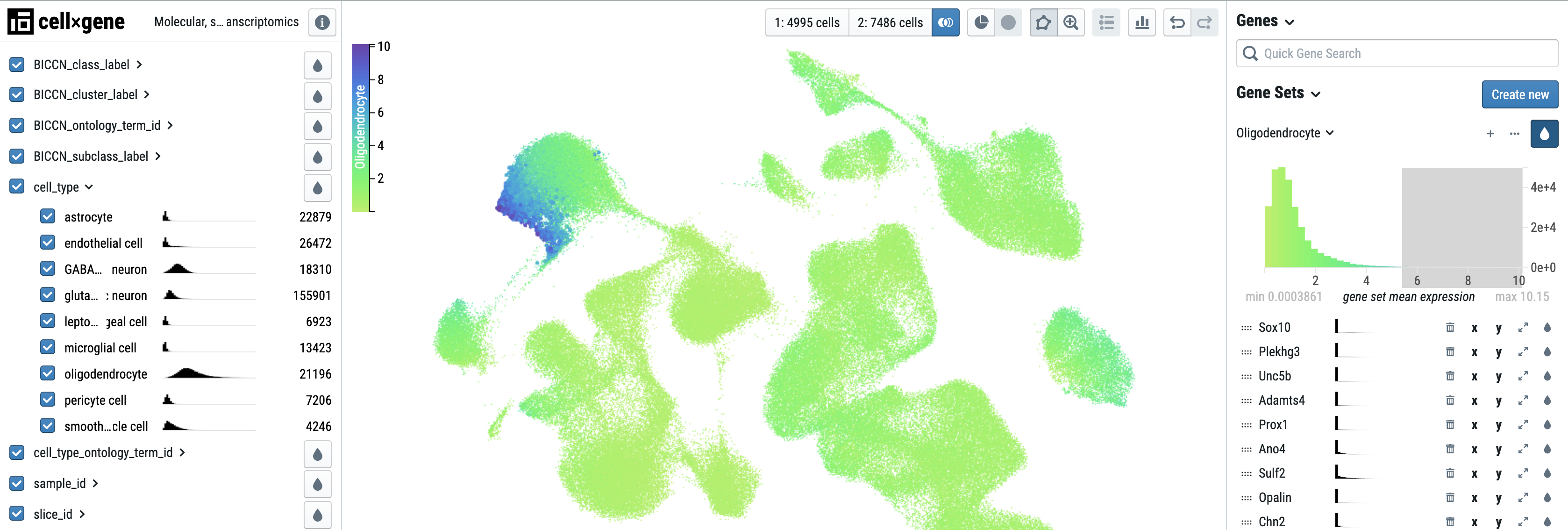
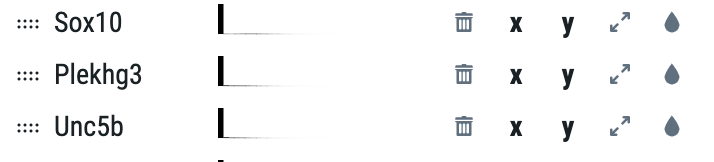
For each individual gene within a gene set, use the icons to the right of the gene name to plot on the x or y axis of the scatterplot, expand the histogram, or color by that gene.
Creating a gene set
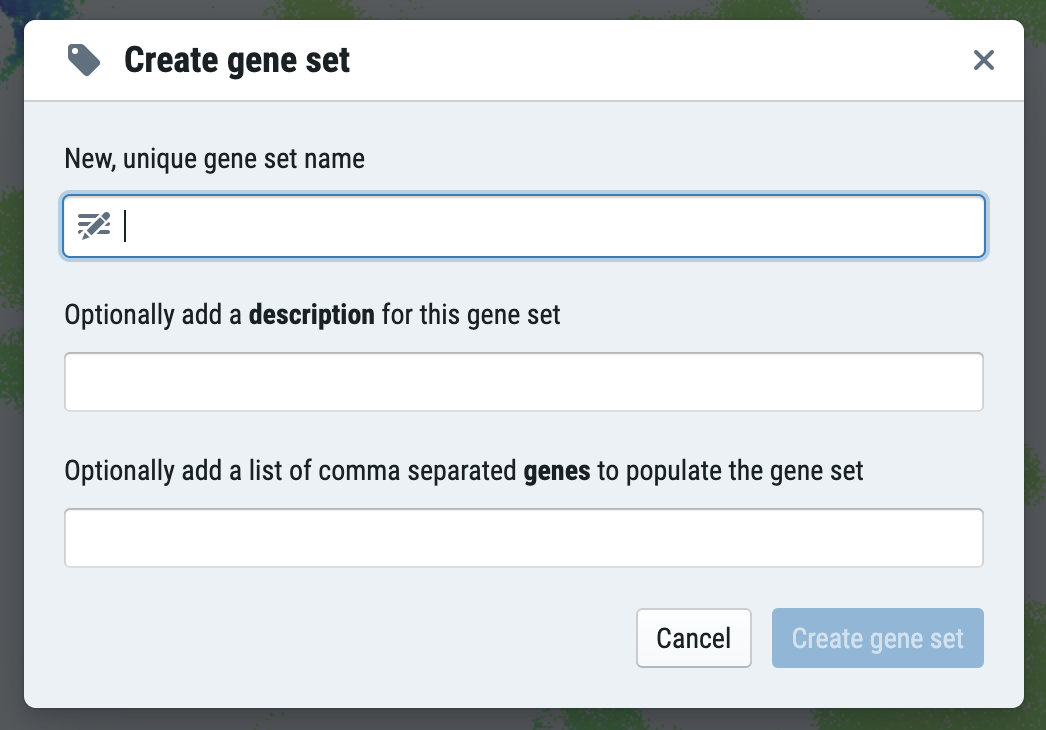
To create a gene set, click "Create new." You can name your gene set, add an optional description, and add a comma separated list of genes.
Editing a gene set
Users may delete a gene set or edit the name and description of a gene set.
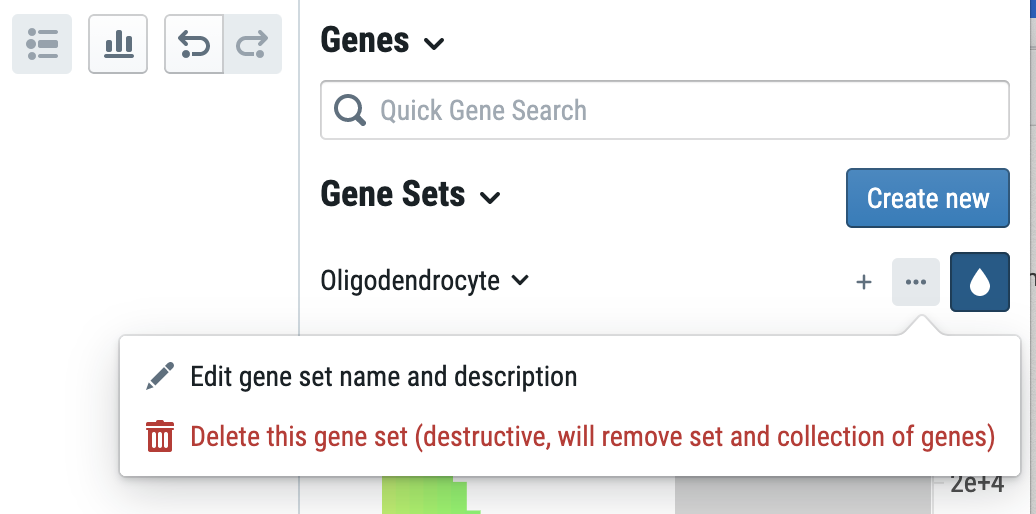
Users may also add additional genes to the gene set by clicking the plus button next to the name of the gene set.
All changes will be saved in the file designated with the command --gene-sets-file. If no file is specified, a CSV file will be created in the user's default directory.